Run Your First Model with TT-Metal
This guide will walk you through running your first AI model using TT-Metal on Tenstorrent NPU hardware. We'll use the YOLOv4 object detection model as an example to demonstrate how to run models with TT-Metal.
Before proceeding, make sure you have already installed TT-Metal and set up your Tenstorrent NPU environment. If you haven't done this yet, please follow the TT-Metal Installation Guide first.
1. Understanding the Example
We'll use the YOLOv4 model from the TT-Metal demos. YOLOv4 (You Only Look Once) is a state-of-the-art object detection model that can identify multiple objects in an image with bounding boxes. The example will:
- Run a pre-trained YOLOv4 model on Tenstorrent hardware
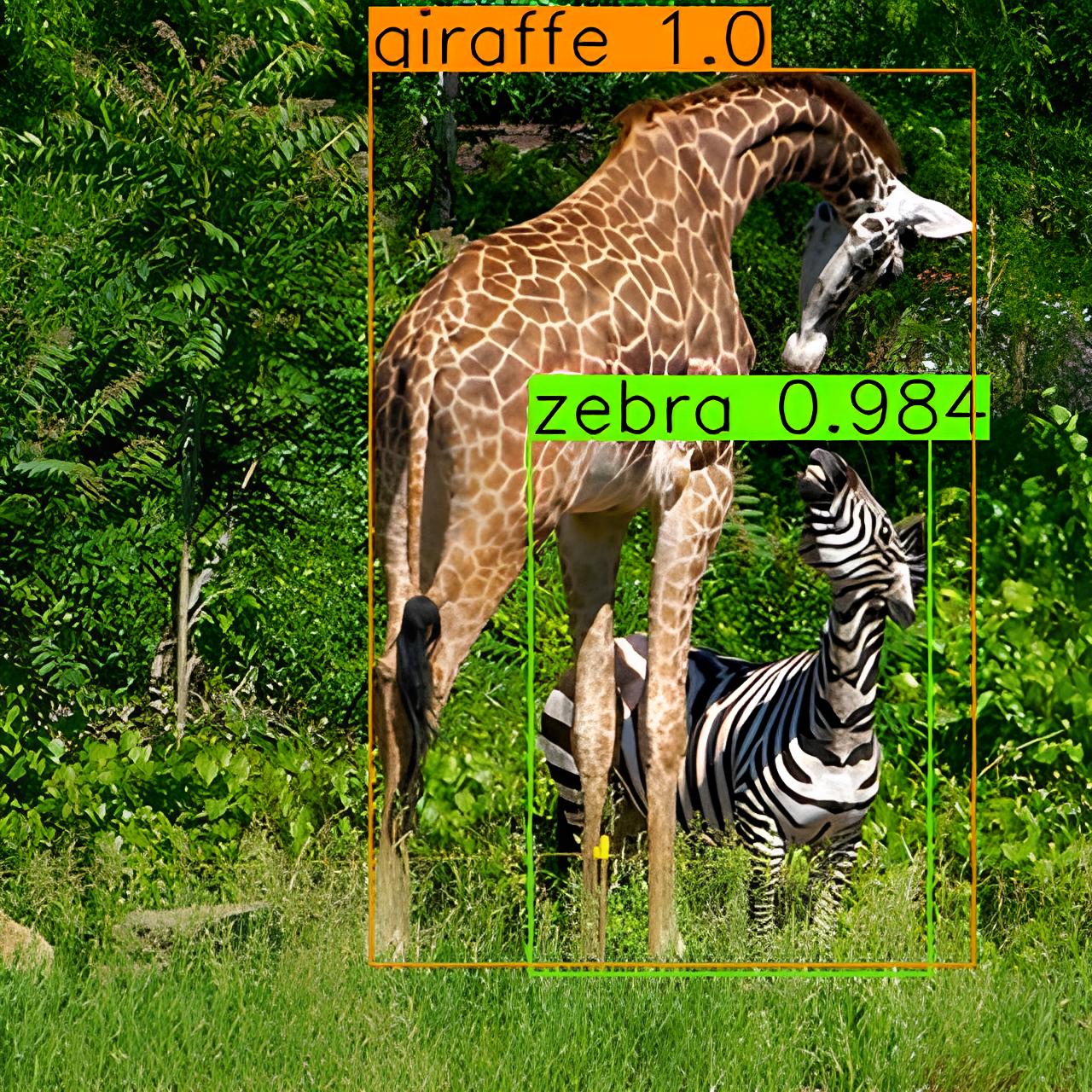
- Process a sample image containing animals (giraffe and zebra)
- Detect and classify objects in the image
- Generate a visualization with bounding boxes and confidence scores
2. Setting Up the Environment
First, make sure you're in the TT-Metal repository directory:
cd /path/to/tt-metal
3. Running the YOLOv4 Demo
TT-Metal includes a YOLOv4 demo that can detect objects in images. The demo uses a pre-trained model and runs inference on a sample image.
3.1 Run the Demo with Default Settings
To run the YOLOv4 demo with the default image at 320x320 resolution:
pytest models/demos/yolov4/demo.py::test_yolov4[device_params0-resolution0]
This command will:
- Load the pre-trained YOLOv4 model
- Run inference on a default image containing a giraffe and zebra
- Process the detection results
- Generate a visualization with bounding boxes
3.2 Understanding the Output
During execution, you'll see output similar to this:
-----------------------------------
       max and argmax : 0.001341
                  nms : 0.000806
Post processing total : 0.002147
-----------------------------------
## (zebra: 98.4%, giraffe: 100%)
zebra: 0.984375
giraffe: 1.000000
save plot results to ttnn_yolov4_prediction_demo.jpg
3.3 View the Results
The demo saves the visualization to a file named ttnn_yolov4_prediction_demo.jpg in your current directory. This image shows the detected objects with bounding boxes and confidence scores.
You can also run the YOLOv4 demo with your own images:
pytest --disable-warnings --input-path=/path/to/your/image.jpg models/demos/yolov4/demo.py